
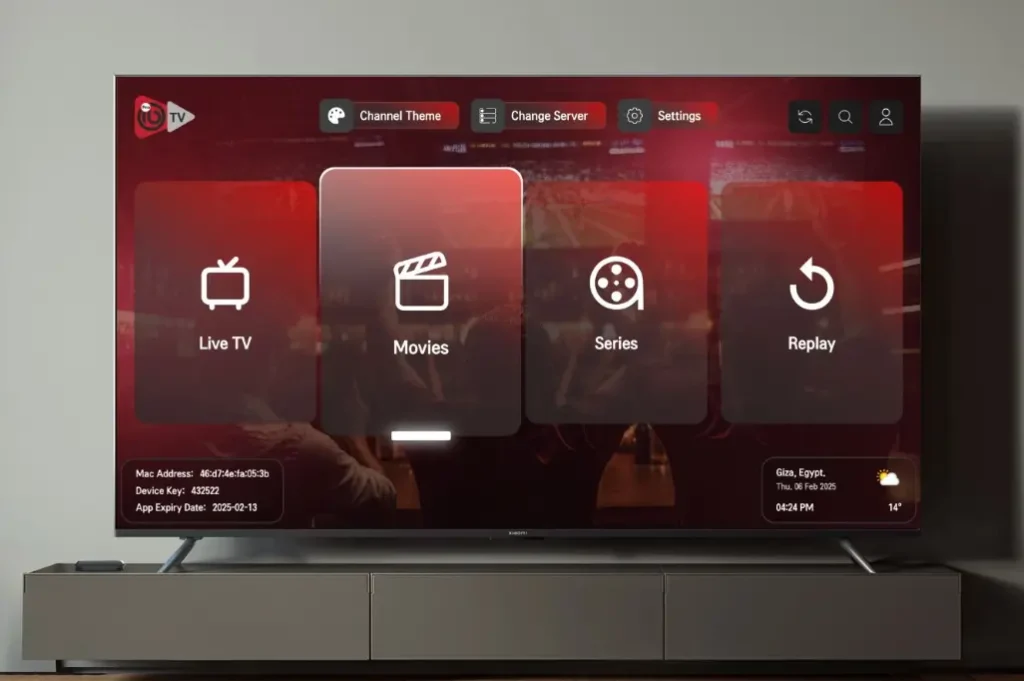
If you’re comparing streaming players and want a straight answer, here’s the short version of this IBO Player Pro review: it’s a paid, cross-platform media player built to organize and play IPTV-style content, with a one-time activation fee rather than a monthly bill. It’s not a channel provider — you still need a separate, licensed content subscription to watch anything. Below, we break down its features, pricing, real-world performance, and where it falls short.
IBO Player Pro (also listed as “ibo Pro Player” depending on platform) has built a following mainly because of two things: a clean, simple interface and broad device support. Whether that’s enough to justify the cost depends on what you’re comparing it against — and that’s what this review sets out to answer.
Throughout this IBO Player Pro review, we’ll rely only on information confirmed through official app store listings and publicly visible user feedback, rather than unverified marketing claims. That’s especially important for an app category where pricing, features, and terms can vary noticeably between platforms and resellers.
Table of Contents
What Is IBO Player Pro?
IBO Player Pro is a media player application designed to load and organize video streams from a source you supply. According to its Apple App Store listing, it’s built by IRBOETECH CO. LTD and marketed as a player for iOS and tvOS with support for all screen resolutions, including 4K.
The app doesn’t include any built-in channels, movies, or shows. Its entire job is playback and organization — you connect it to your own licensed content source, and it handles the interface, favorites, subtitles, and playback controls from there.
IBO Player Pro Key Features
Based on its official store listings, IBO Player Pro includes:
- 4K streaming support for high-resolution playback on capable devices.
- Multiple interface themes for customizing the look of the app.
- Subtitle and multi-language support, including language selection for movies and series.
- Favorites and organization tools to manage large content lists.
- Parental controls to restrict access to specific categories.
- Support for common streaming formats and protocols, including m3u8, RTMP, and other standard video formats referenced in its App Store description.
Who Is IBO Player Pro Best For?
Not every player app suits every household, so it helps to know where IBO Player Pro tends to fit best:
- Multi-device families who want the same interface whether they’re watching on a phone, an Apple TV, or a Fire TV Stick.
- Users who dislike monthly app fees and would rather pay once per device than deal with a recurring player subscription on top of their content subscription.
- iOS and tvOS users specifically, since the app has historically received more consistent updates on Apple platforms than on some competing players.
- People who already have a licensed IPTV or streaming subscription and simply need a reliable, well-organized front end to view it through.
It’s a weaker fit for anyone hoping the app itself will provide content, or for households that need to activate many devices at once, since the per-device fee model can get expensive quickly.
If you’re still deciding whether this is the right app for your setup, it can help to shortlist your must-have features first — casting support, guide accuracy, or budget, for example — and then check each one against what’s confirmed in the sections above rather than against marketing copy alone.
Getting Started with IBO Player Pro
Setup follows a similar pattern across platforms: download from the official store for your device, complete the one-time activation, then connect the app to your existing licensed content source. The exact activation screen and payment flow differ slightly between iOS, Fire TV, Roku, and Windows, so it’s worth reading the platform-specific instructions the developer provides during setup.
Supported Devices and Platforms
One of IBO Player Pro’s most consistently mentioned strengths is how many platforms it reaches from a single app.
| Platform | Availability |
|---|---|
| iPhone / iPad | Apple App Store |
| Apple TV / tvOS | Apple App Store |
| Amazon Fire TV | Amazon Appstore |
| Roku | Roku Channel Store |
| Android / Android TV | Available through app stores and direct APK, depending on region |
| Windows desktop | Available as a separate download from the developer |
This breadth is a genuine differentiator versus players that are limited to just Android or just Apple devices.
IBO Player Pro Pricing
Pricing varies by platform and storefront, which is worth knowing before you buy. On iOS, the App Store listing shows the app priced at $9.99 with in-app purchase activation, meaning you generally pay once per device rather than on a recurring basis. Independent review sites report similar one-time-activation pricing models on other platforms, though exact amounts differ by storefront and region.
A few pricing details worth double-checking before you buy:
- Whether the fee is truly one-time or requires renewal — this has caused confusion for some users, based on App Store reviews.
- Whether activation is tied to a single device or transferable if you upgrade hardware.
- Whether the version you’re downloading is the official app from IRBOETECH CO. LTD, since similarly named apps exist from other developers.
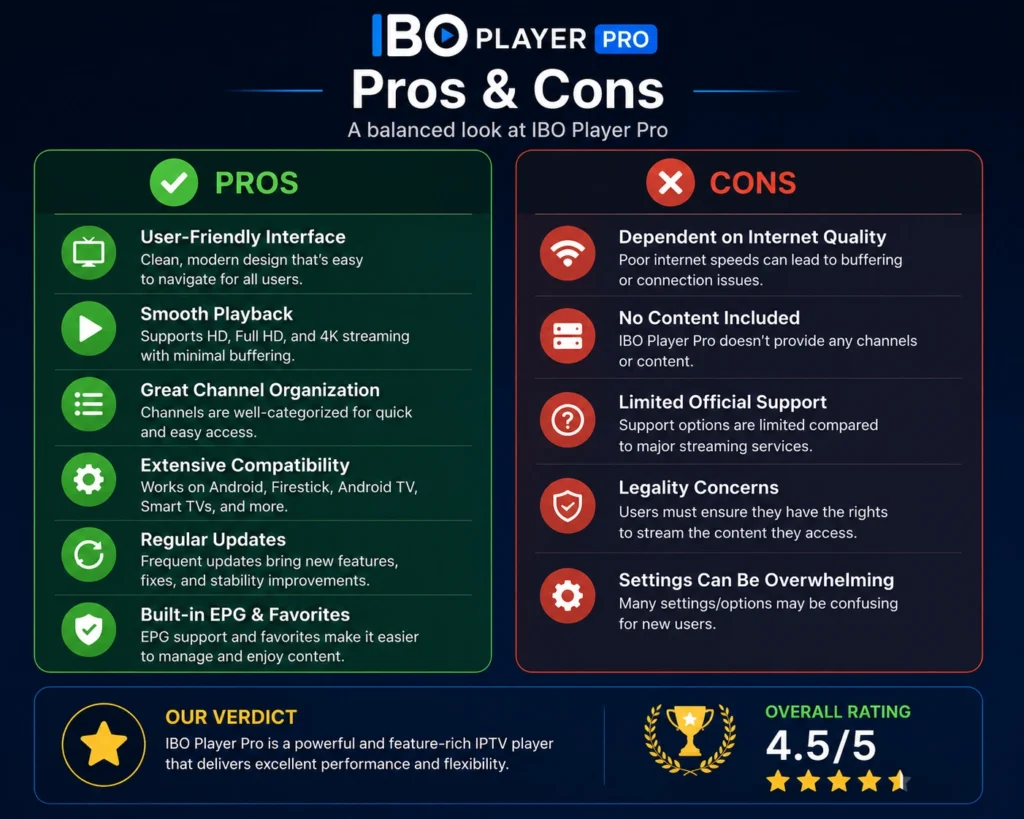
IBO Player Pro Pros and Cons
| Pros | Cons |
|---|---|
| Wide device compatibility (iOS, Fire TV, Roku, Android, Windows) | Per-device activation fee can add up for multi-device households |
| Clean, straightforward interface | No official Picture-in-Picture support at the time of writing |
| 4K playback support | Some users report inconsistent channel-loading performance |
| Parental control options | No native Chromecast/AirPlay casting listed as a current feature |
| One-time fee rather than a monthly subscription | Pricing and activation terms vary confusingly by platform |
Performance and Reliability
Real-world feedback on IBO Player Pro is mixed. On the positive side, users frequently point to a simple setup process and a stable interface for everyday browsing. On the negative side, App Store user reports list recurring issues including occasional freezing on certain iOS versions, black-screen problems on Roku, and inconsistent electronic program guide data. None of these appear to be universal — many users report smooth performance — but they’re common enough to mention in an honest review.
If you experience similar problems, most are addressed the same way as with any IPTV player app:
- Update to the latest version through your device’s app store.
- Clear the app’s cache or reinstall if problems persist.
- Switch the video player engine in settings if available.
- Confirm the issue isn’t on your content provider’s end before assuming it’s the app.
It’s also worth noting that the developer continues to push updates addressing reported bugs, based on the changelog visible in app store listings — a good sign that known issues are being actively worked on rather than ignored. As with most streaming player apps, performance can also vary significantly based on your internet connection speed and the reliability of your content provider, so it’s not always straightforward to separate app-side issues from network-side ones.
Customer Support and Updates
IBO Player Pro’s support channels are primarily handled through the developer directly rather than through a large public help center. Update frequency has generally kept pace with new OS releases on Apple platforms, based on the visible version history in its App Store listing, which matters if you rely on the app across multiple Apple devices that receive regular iOS and tvOS updates. If you run into an activation problem, contacting the developer directly through the support link in your purchase receipt is typically faster than searching for a general troubleshooting guide.
Is IBO Player Pro Safe and Legal?
The app itself, downloaded from an official store, is a legitimate piece of software — comparable to any other media player. What determines whether your overall setup is safe and legal is the content source you connect it to, not the player app.
Security researchers have consistently warned that unauthorized or heavily discounted streaming subscriptions carry real risk, including malware exposure and payment fraud, as detailed in independent coverage of illegal streaming device risks. To keep things on the right side of both safety and the law:
- Download IBO Player Pro only from official app stores (Apple, Amazon, Roku).
- Connect it only to content sources you’re legally authorized to access.
- Be skeptical of resellers offering activation codes at prices far below the developer’s own listed pricing.
IBO Player Pro Review: How It Compares to Alternatives
No single IPTV player app is the right fit for everyone, so it’s worth knowing where IBO Player Pro sits relative to its most common alternatives:
- Compared to free players: IBO Player Pro’s one-time fee buys a more polished interface and dedicated support versus fully free alternatives, but you’re paying for design rather than exclusive functionality.
- Compared to subscription-based players: the one-time activation model can work out cheaper over time than apps billed monthly, provided you don’t need to reactivate across many devices.
- Compared to platform-native players: IBO Player Pro’s biggest edge is reaching Apple, Amazon, Roku, and Windows from one consistent app, which fragmented native alternatives don’t always match.
Frequently Asked Questions
Is IBO Player Pro free?
No. It’s a paid app with a one-time or per-device activation fee rather than a free download, based on its official App Store listing.
Does IBO Player Pro come with channels or content?
No. It’s a player only. You need a separate, licensed subscription or your own legal content source to watch anything through the app.
What devices does IBO Player Pro support?
It’s available on iPhone, iPad, Apple TV, Amazon Fire TV, Roku, and Android, with a separate Windows desktop version also available.
Why do I have to pay again on a new device?
Based on user reports, activation is generally tied to the individual device rather than your account, meaning a new phone or TV may require a fresh activation.
Does IBO Player Pro support 4K streaming?
Yes, 4K playback is listed as a supported feature across its screen-resolution compatibility, according to the official app description.
Is IBO Player Pro better than free IPTV player apps?
It depends on your priorities. Free apps can offer similar core functionality, while IBO Player Pro’s fee generally buys a more polished interface, theming options, and dedicated developer support.
Are there known bugs in IBO Player Pro?
Yes — user-reported issues include occasional freezing, inconsistent guide data, and platform-specific bugs like Roku black screens, according to App Store review data.
Can I transfer my IBO Player Pro activation to a new device?
Transfer policies vary and aren’t always clearly documented, so it’s best to contact the developer’s support channel directly before upgrading hardware if you want to avoid paying twice.
Does IBO Player Pro support casting to a TV from my phone?
Native Chromecast and AirPlay casting were not listed as available features at the time of writing, based on feature requests still open in its App Store listing.
Final Verdict
If you take one thing away from this IBO Player Pro review, let it be this: the app’s value depends entirely on pairing it with a legitimate content source — the player alone is only half the equation. This IBO Player Pro review comes down to a simple trade-off: you’re paying a modest, mostly one-time fee for a clean interface and unusually broad device support, in exchange for occasional reliability quirks and a per-device pricing model that can add up for larger households. For users who value a consistent experience across Apple, Amazon, Roku, and Windows devices, it’s a reasonable pick — provided you connect it only to a licensed, legitimate content subscription and keep the app updated through official stores.