
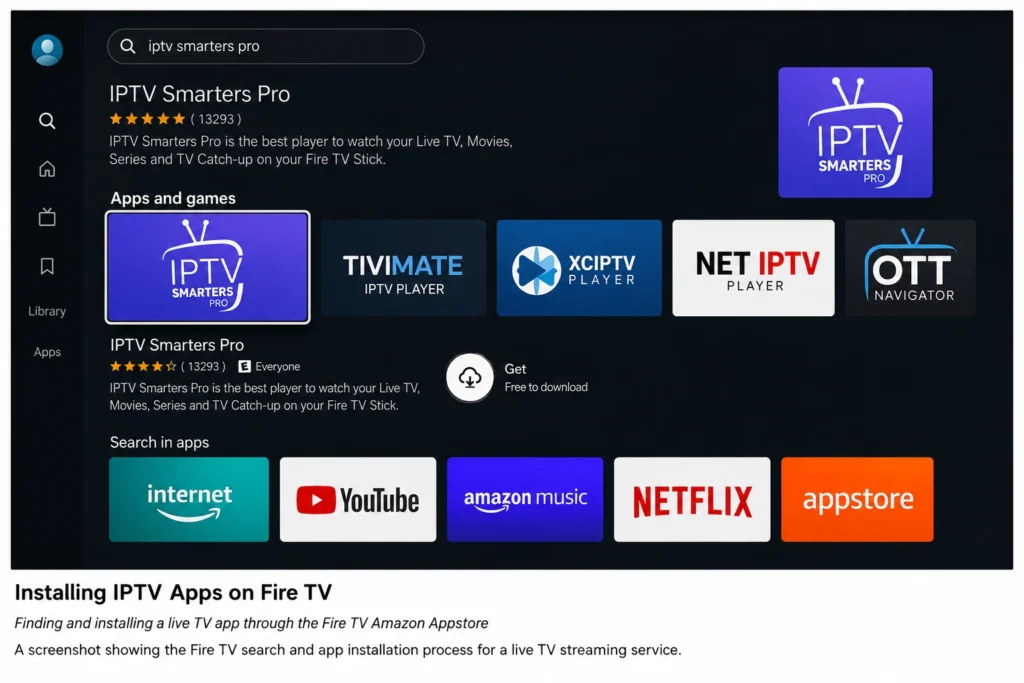
Looking for the best IPTV apps for your Fire TV Stick or Fire TV device? IPTV, or Internet Protocol Television, simply means delivering TV channels over the internet instead of through cable or satellite. This guide covers the top legal, subscription-based IPTV apps available for Fire TV, what each one offers, and how to get set up correctly.
All the apps discussed below are legitimate services with official content licensing agreements, available directly through the Amazon Appstore. None of them require third-party playlists or unofficial credentials to function.
Table of Contents
What Makes an IPTV App “Good” on Fire TV?
Before comparing specific apps, it helps to know what separates a smooth experience from a frustrating one. The best IPTV apps for Fire TV generally share these traits:
- Native Fire TV app (not just a sideloaded Android APK)
- Reliable channel guide (EPG) that stays synced
- Cloud DVR functionality, if offered
- Reasonable bandwidth requirements for your internet plan
- Responsive remote navigation and search
With that in mind, here’s how the major players stack up.
1. Sling TV
Sling TV is one of the longest-running live TV streaming services and offers flexible, à la carte channel packages rather than one large bundle. Its Fire TV app supports cloud DVR (on select plans) and multiple simultaneous streams depending on your package tier.
Best for: Users who want to customize channel packages instead of paying for channels they won’t watch.
Details on current pricing and channel lineups are available on the official Sling TV website.
2. YouTube TV
YouTube TV offers a large channel bundle including major broadcast networks, sports, and cable channels, plus unlimited cloud DVR storage. Its Fire TV app is well-optimized, with fast channel switching and a clean guide interface.
Best for: Households wanting a cable-like experience with extensive DVR storage.
Current channel lists and pricing are listed on the official YouTube TV site.
3. Hulu + Live TV
Hulu + Live TV bundles live channels with Hulu’s on-demand streaming library, and increasingly includes Disney+ and ESPN+ in combined packages. The Fire TV app integrates on-demand and live content into a single interface.
Best for: Users who want live TV and a large on-demand library in one subscription.
4. Philo
Philo focuses on entertainment, lifestyle, and general interest channels rather than sports or local news, which keeps its price notably lower than most competitors. It’s a strong budget option for Fire TV users who don’t need live sports.
Best for: Budget-conscious users focused on general entertainment content.
Full channel details are available on the official Philo website.
5. FuboTV
FuboTV started as a sports-focused streaming service and has expanded into a fuller live TV package, though it remains particularly strong for sports fans. Its Fire TV app supports multiple simultaneous streams and cloud DVR on most plans.
Best for: Sports viewers who want extensive live sports coverage alongside general channels.
6. DIRECTV STREAM
DIRECTV STREAM offers channel packages similar to traditional satellite TV lineups, delivered over the internet. The Fire TV app includes a full guide, cloud DVR, and regional sports network availability that varies by location.
Best for: Former DIRECTV or cable subscribers wanting a familiar channel lineup.
7. Pluto TV
Pluto TV is a free, ad-supported live TV app with dozens of pre-programmed channels covering news, movies, and entertainment. It requires no subscription or sign-up, making it a low-commitment way to try live streaming on Fire TV.
Best for: Users wanting free live channels with no subscription commitment.
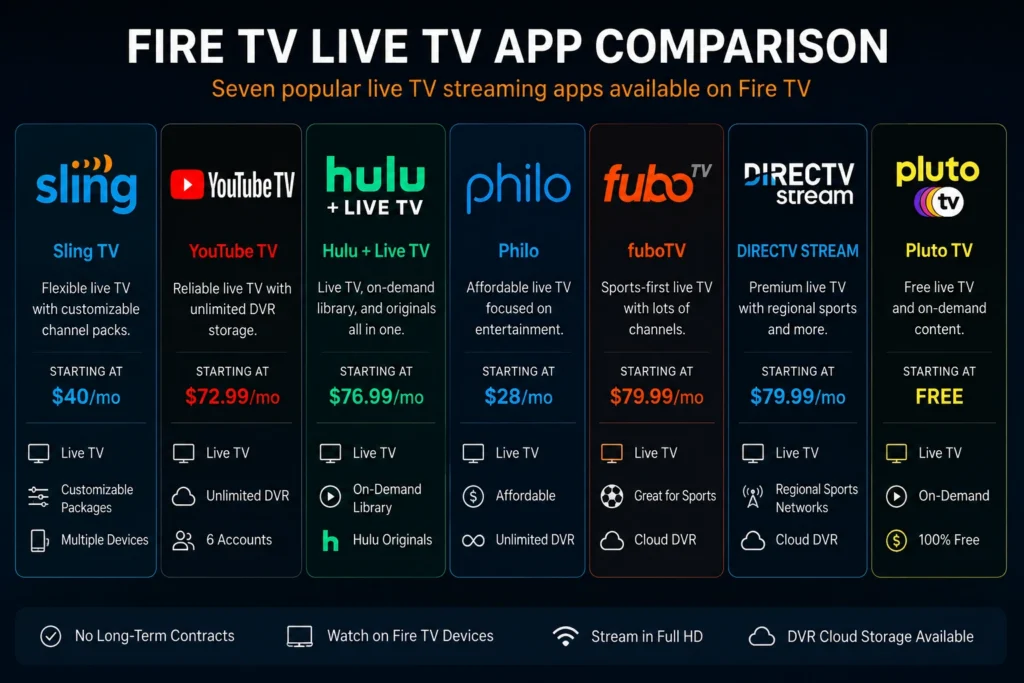
Comparison Table: Best IPTV Apps for Fire TV
| App | Price Model | Cloud DVR | Simultaneous Streams | Best For |
|---|---|---|---|---|
| Sling TV | Paid, à la carte | Available (add-on) | Varies by plan | Custom channel packages |
| YouTube TV | Paid, bundle | Unlimited | Multiple | Cable-like experience |
| Hulu + Live TV | Paid, bundle | Available | Multiple | Live TV + on-demand |
| Philo | Paid, low-cost | Available | Multiple | Budget entertainment |
| FuboTV | Paid, bundle | Available | Multiple | Sports coverage |
| DIRECTV STREAM | Paid, bundle | Available | Multiple | Satellite-style lineup |
| Pluto TV | Free, ad-supported | Not available | Single | No-cost live channels |
Pricing, channel counts, and DVR limits change frequently — always confirm current details on each provider’s official website before subscribing.
How to Install IPTV Apps on Fire TV
Getting set up is straightforward:
- From the Fire TV home screen, open the Search function
- Type the name of the app (e.g., “Sling TV” or “YouTube TV”)
- Select the app from the Amazon Appstore results and choose Download
- Once installed, open the app and sign in with your subscription credentials, or start a new sign-up directly from the app if supported
Because these apps are distributed through the official Amazon Appstore, they’re automatically vetted for security and kept updated.
A Note on IPTV Player Apps
You may also encounter generic “IPTV player” apps in the Amazon Appstore. These apps are simply media players — they don’t provide any channels or content on their own. They only work with content sources you legally have the rights to access, such as a subscription service that provides you with proper login credentials. Using a player app to access unauthorized content or unlicensed channel lists is not something this guide covers or recommends, and it can expose your device to security risks as well as legal liability. Stick with officially licensed services like the ones listed above for a safe, reliable experience.
Tips for Better IPTV Performance on Fire TV
- Use a wired connection where possible. An Ethernet adapter for Fire TV reduces buffering compared to Wi-Fi, especially during peak hours.
- Check your internet speed. Most live TV apps recommend at least 10–25 Mbps for HD streaming; higher for multiple simultaneous streams.
- Restart your Fire TV periodically. This clears cached data and can resolve minor app slowdowns.
- Keep apps updated. Providers regularly push updates that fix bugs and improve guide performance.
For official Fire TV network troubleshooting steps, Amazon maintains a device support page with connectivity guidance.
Frequently Asked Questions
What is the best IPTV app for Fire TV overall?
It depends on your priorities. YouTube TV offers the broadest channel bundle with unlimited DVR, Sling TV offers flexible pricing, and Philo is the most budget-friendly option for general entertainment.
Are IPTV apps on Fire TV legal?
The apps listed in this guide are fully licensed, legal streaming services. Legality issues only arise with unauthorized services or playlists that redistribute content without proper licensing, which this guide does not recommend or cover.
Do I need a separate Fire TV Stick or does it work on any Fire TV?
These apps are compatible with all current Fire TV devices, including Fire TV Stick, Fire TV Stick 4K, Fire TV Cube, and Fire TV Edition smart TVs.
Can I watch local channels with these IPTV apps?
Local channel availability varies by app, provider, and your specific location. Check each service’s channel lookup tool using your ZIP code before subscribing.
How much internet speed do I need for IPTV apps on Fire TV?
Most services recommend a minimum of 10–25 Mbps for a single HD stream, with higher speeds needed for 4K content or multiple simultaneous streams in one household.
Is Pluto TV really free?
Yes, Pluto TV is entirely free and ad-supported, with no subscription or sign-up required to watch its live channels.
Can I use multiple IPTV apps at once on Fire TV?
Yes, there’s no limit to how many streaming apps you can install on a single Fire TV device, as long as you have storage space and active subscriptions where required.
Do these apps support Fire TV voice search with Alexa?
Most major IPTV apps, including YouTube TV, Sling TV, and Hulu + Live TV, support Alexa voice search for finding channels and content directly.
Final Thoughts
Choosing among the best IPTV apps for Fire TV comes down to matching a service to your viewing habits — whether that’s live sports, a large on-demand library, or simply the lowest possible monthly cost. Sling TV, YouTube TV, Hulu + Live TV, Philo, FuboTV, DIRECTV STREAM, and Pluto TV each cover different needs, and all are available directly through the Amazon Appstore with official support and licensing. Compare a couple of free trials where offered before committing to a subscription.